Application layout
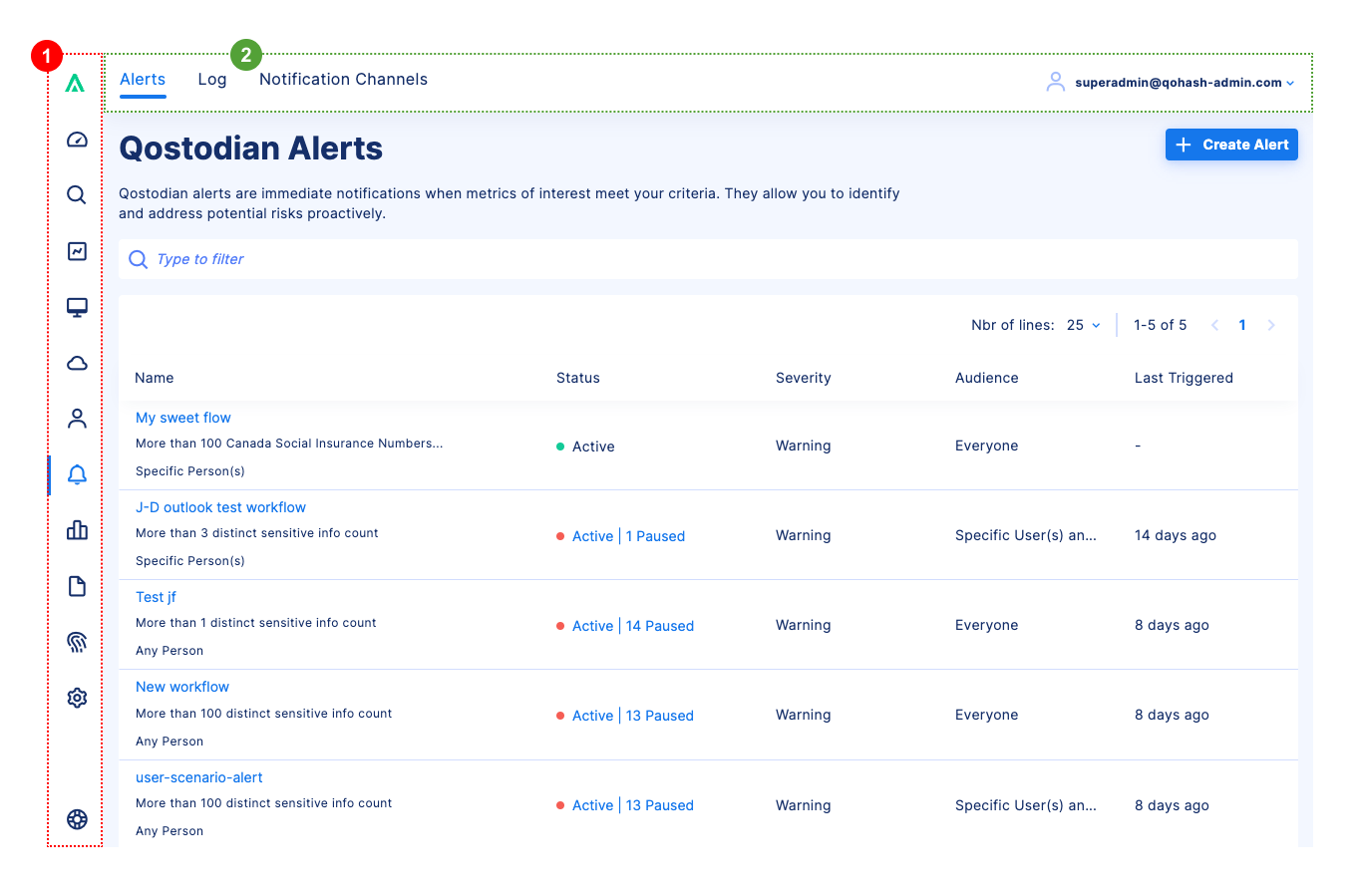
The application global layout is composed of 2 main levels of navigation:
- The side bar is the main navigation bar that lets you navigate between the different sections of the application.
- The top bar is the secondary navigation bar that lets you navigate between the different pages of a section.
Side bar
The side bar includes the logo of the application at the top and a help section at the bottom.
Top bar
The top bar has 2 parts:

While the breadcrumbs are not mandatory, they are recommended when it helps the users to understand where they are in the application.
Main content
The central content is the main part of the application. It is where the content of the selected page is displayed.
For more information about the content of the different pages, please follow this link: Page.